INTRODUCING

Business Hour Widget
for Elementor

Card Grid for Elementor helps you display your content as modern cards, so visitors can quickly scan your services, features, or team members.

See It In Action

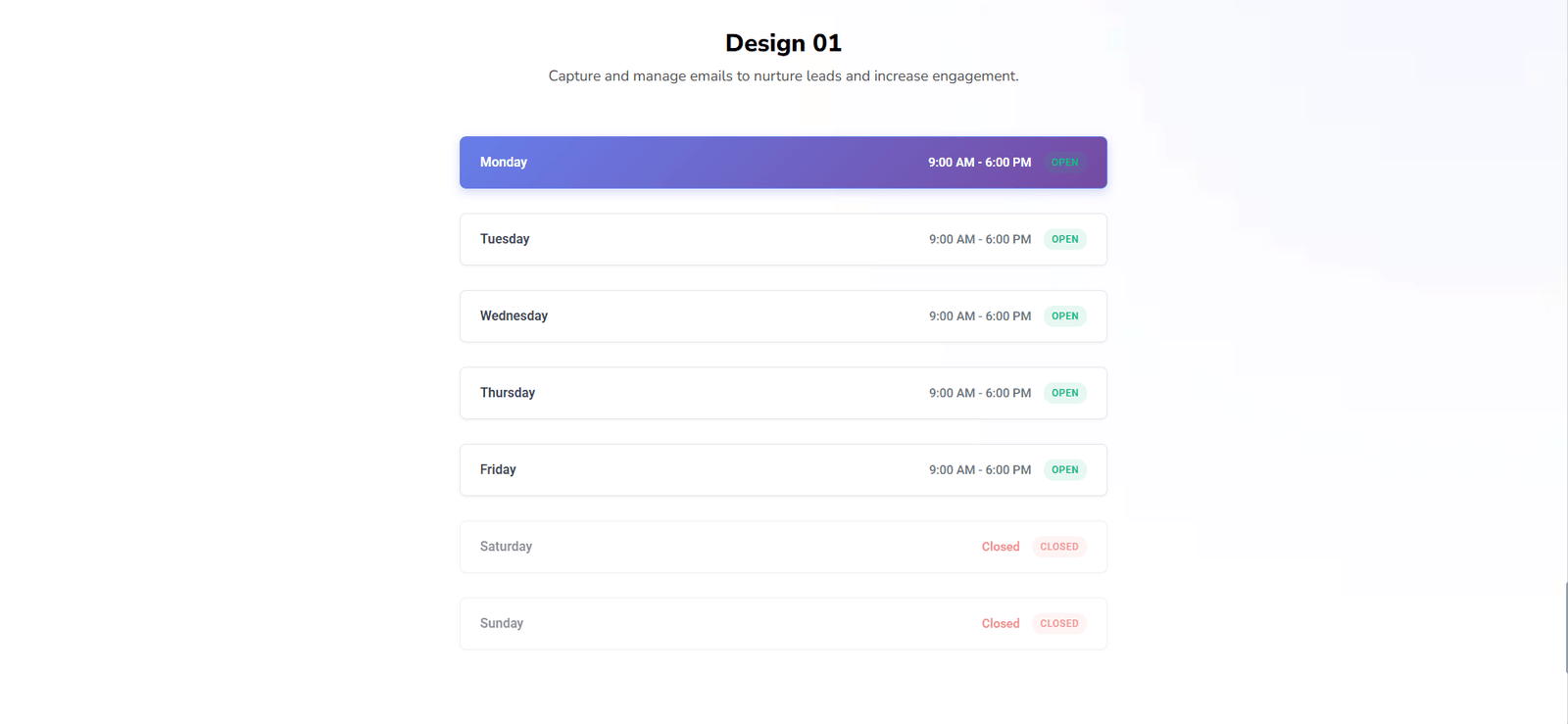
business hours widget for Elementor

Packed With Powerful Features

Everything you need to build fast, flexible, and high-performing designs.

Drag & Drop Builder

Easily add and arrange elements using Elementor’s intuitive drag and drop interface.

Flexible Layout Control

Adjust spacing and alignment to create clean, balanced layouts for any design.

Responsive Controls

Fine-tune your design for desktop, tablet, and mobile for a smooth experience.

Lightweight & Fast

Optimized for speed to keep your website fast and responsive without bloat.

How To Use Business Hour

Easily manage and display your business hours with the Business Hour Addon. Configure open and close times, set weekdays, and ensure your visitors always know when you’re available.

Show Your Opening Hours Clearly on Any Page

The Business Hour widget from Unlock Addons makes it easy to display when your store, clinic, office, or restaurant is open. Instead of typing hours into plain text, you get a structured table that’s easy to scan on both desktop and mobile. Visitors can quickly see the right time to call, visit, or book an appointment.

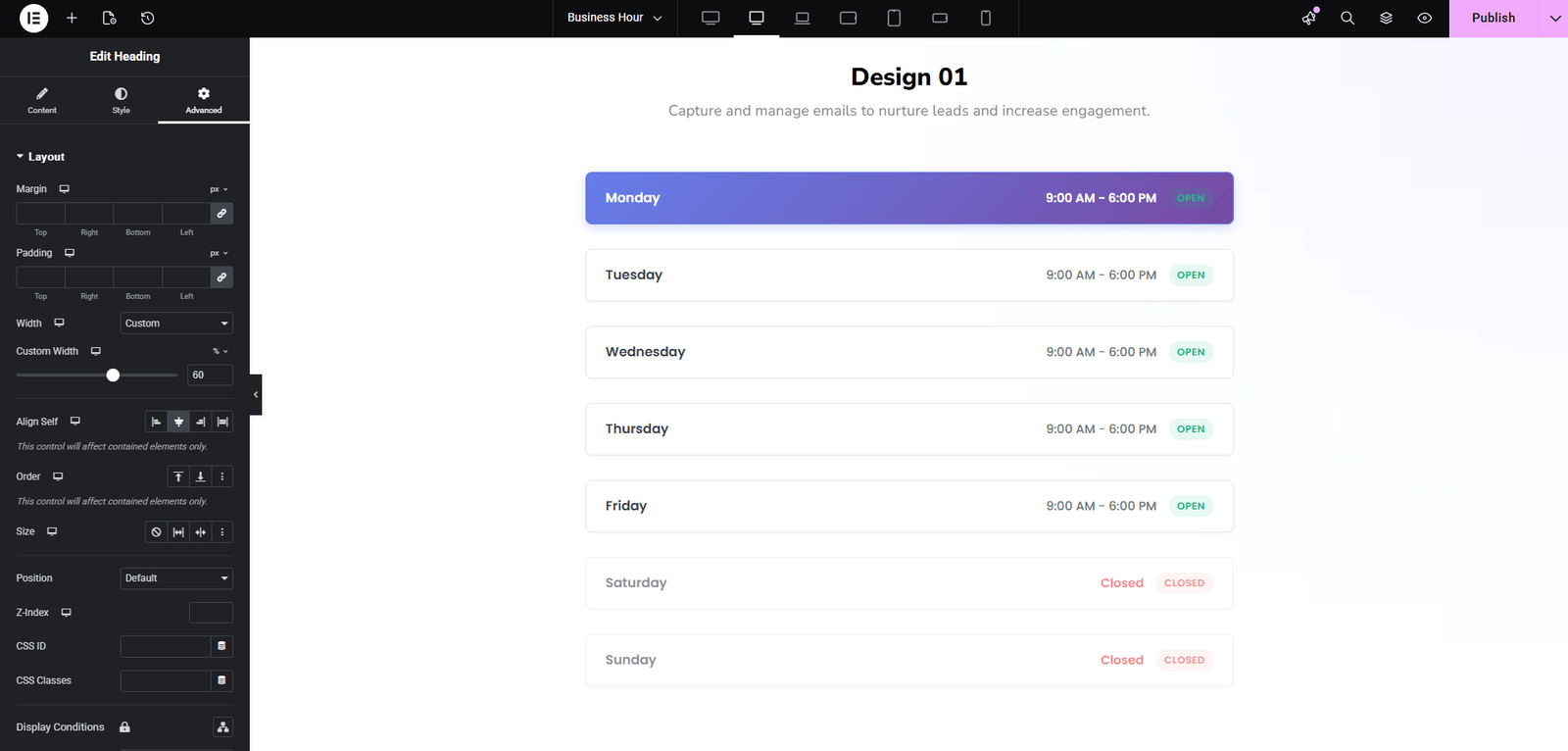
How to Add Business Hours in Elementor

Perfect for Any Local or Service‑Based Business

Use the Business Hour widget on contact pages, Google‑Maps sections, sidebars, or as part of your footer. It’s ideal for restaurants, clinics, salons, repair shops, coworking spaces, and any business where visitors need to know exactly when they can reach you.


Key Features of the Business Hour Widget

Flexible day and time control

Add, remove, or reorder days, set different hours for each day, and mark specific days as “Closed” or “By Appointment Only” with a single click.

Highlight special hours and holidays

Use styles to highlight today, weekends, or special days with different colors, icons, or labels so visitors don’t miss important exceptions.

Responsive design that fits your layout

Adjust typography, spacing, borders, and separators so your business hours section looks clean in sidebars, full‑width contact sections, or footers on every device.

Three Simple Steps

Get up and running in minutes. No complexity, no learning curve.

Add the Widget

Drag and drop the widget into your layout from the Elementor panel.

Customize

Adjust content, style, and settings to match your design perfectly.

Publish

Hit publish and your design goes live instantly.

Have Questions?
We Have Answers

No. Unlock Addons works with Elementor Free and Elementor Pro, and the Business Hour widget can be added to any page or template built with the standard Elementor editor.

Yes. You can set unique opening and closing times for every day of the week, mark specific days as closed, and even create multiple time slots if your business has breaks during the day.

Yes. The widget is fully responsive, so your opening hours stay readable on desktops, tablets, and phones without extra CSS.

Take Elementor to the Next Level

Join 50,000+ designers creating high-converting navigation experiences with Elementor.

The Largest and Most Powerful Elements Library for Elementor.

Subscribe to Our Newsletter

    © 2014 – 2026 Unlockaddons. All Rights Reserved